

What Does a Trial Tech Actually Do During Trial?
Updated: 4 hours ago
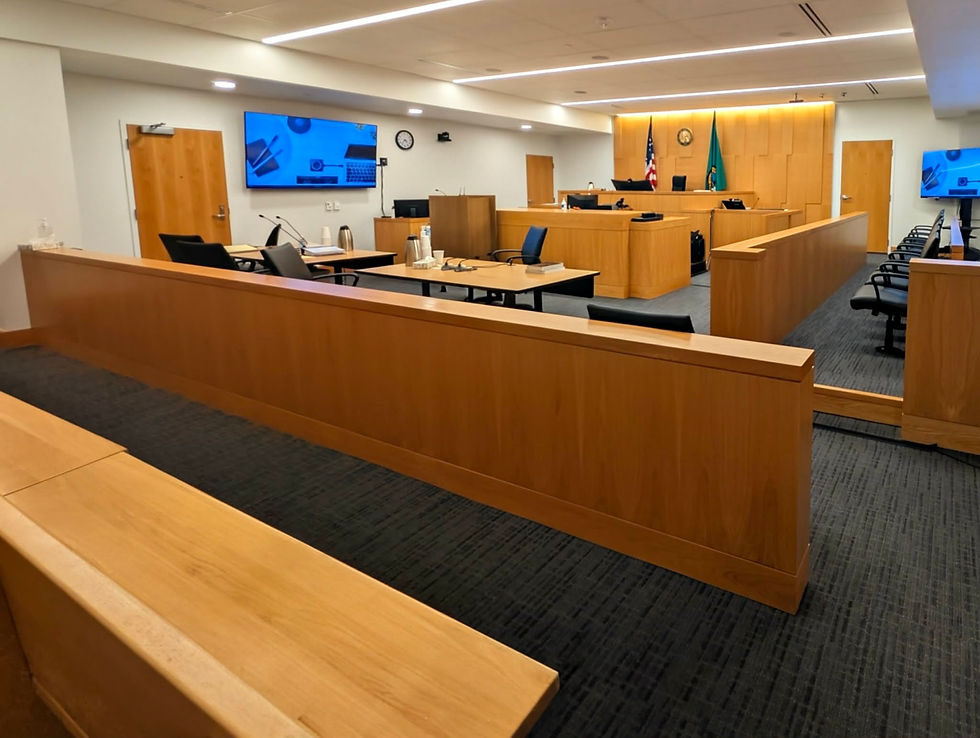
There is a strange thing about working as a trial tech: when you're doing your job well, most of the courtroom probably isn't paying much attention to you. An attorney asks for an exhibit and it appears. They move to another page, ask to enlarge a paragraph, highlight a sentence, play a deposition clip, or pull up something they showed twenty minutes ago. From the other side of the courtroom, it can look pretty simple. There is a lot happening behind that laptop to make it look that way.
The work also extends well beyond operating presentation software while court is in session. Depending on the case, a trial tech may be involved in preparing exhibits, editing deposition video, organizing presentation materials, setting up and testing courtroom equipment, working through witness outlines, troubleshooting technology, and dealing with changes as they happen. Every trial is different, and the scope of the role can change considerably depending on what the legal team needs.
A Trial Tech's Day Starts Before Court Does
A trial tech's day usually begins well before the judge takes the bench. Equipment needs to be running, displays need to be checked, presentation software needs to be ready, and the materials expected for that day's witnesses need to be organized and accessible. There may also be new exhibits to load, deposition clips to prepare, presentation materials to update, or changes from the trial team that came in since everyone left the night before.
That preparation becomes particularly important once a witness is on the stand. Court isn't the time to discover that a video doesn't have audio, an exhibit isn't where you expected it to be, or one of the courtroom displays isn't receiving a signal. You can't prevent every technical problem, but you can eliminate a lot of them by finding them before anyone else enters the courtroom.
Following the Examination Matters Just as Much as Following the Outline
Knowing the presentation software is only part of sitting in the hot seat. You also have to pay attention to what is happening in the room. A trial tech needs to follow the examination closely enough to understand which exhibit the attorney is using, where they are within that exhibit, and what they may need next.
Sometimes you have a detailed witness outline that tells you exactly what the attorney plans to show and in what order. Those are lovely. Sometimes the outline is considerably less detailed, and sometimes the witness gives an unexpected answer and the outline stops mattering altogether. The attorney may skip ahead, return to something from earlier in the examination, pull up an exhibit that wasn't originally planned, or change direction based on what the witness just said.
You have to be able to move with them. An attorney examining a witness shouldn't have to repeatedly stop, turn around, and explain to the trial tech where they are or what they are trying to accomplish. The more closely you're following the examination, the easier it is to respond when the plan changes.
Presenting an Exhibit Is More Than Putting a Document on a Screen
Electronic exhibit presentation is probably the part of the job people notice most. An attorney calls an exhibit, and the trial tech puts it on the appropriate courtroom displays. Once it's up, the attorney may ask for a particular page, photograph, paragraph, table, or section to be enlarged. They may want a callout created, a sentence highlighted, two portions of a document compared, or the exhibit taken down while they move into another area of examination.
Those requests can happen quickly, and they're happening while the attorney is still talking to the witness. There isn't always a convenient break where everyone waits while you prepare the next thing. You are working alongside the examination, which is why speed matters, but accuracy matters more. Putting the wrong document, page, or portion of an exhibit in front of the jury creates a much bigger problem than taking an extra moment to make sure you're displaying the right thing.
A good courtroom presentation should feel natural to the people watching it. The technology is there to give the legal team access to the materials they need when they need them, without becoming a distraction itself.
Deposition Video Can Change Right Up Until It's Played
Deposition video brings a different set of responsibilities. Before a clip ever reaches the courtroom, designated testimony may need to be edited into playable segments, organized, reviewed, and tested. Depending on how the case is being handled, there may also be separate clips for direct designations, counter-designations, or impeachment testimony.
Those clips aren't necessarily set in stone once trial begins. The court may rule on an objection, counsel may agree to remove a portion, a clip may be withdrawn, or testimony earlier in the trial may make a different designation relevant. When that happens, the trial tech has to keep track of the changes and make sure the version that gets played in court reflects what is actually supposed to be shown.
Video also introduces the very practical problem of audio. A beautifully edited deposition clip isn't particularly useful if nobody in the courtroom can hear it, which is another reason testing the entire presentation system before court matters.
Every Courtroom Has Its Own Personality
Courtroom technology varies more than people might expect. Some courtrooms have excellent built-in presentation systems with accessible connections and displays throughout the room. Others require additional equipment or a little creativity to make everything work the way the trial team needs it to.
That means part of the job is understanding the environment you're walking into. What equipment does the courtroom already have? What does the team need to bring? How will presentation content reach the judge, witness, jury, and counsel? How will audio be handled? What happens if a connection fails?
Even after everything has been tested, technology can still decide to misbehave at an inconvenient moment. Having backup equipment and knowing how the system is put together makes those situations much easier to handle. If a monitor suddenly loses its signal during an examination, the attorney needs to remain focused on the witness. Figuring out what went wrong with the monitor belongs on our side of the table.
Court Adjournment Doesn't Always Mean the Workday Is Over
A substantial amount of trial technology work happens when the courtroom is empty. Once court adjourns for the day, the legal team is already thinking about tomorrow's witnesses, and that can mean new work for the trial tech as well. Exhibits may need to be added or reorganized, deposition clips edited, demonstratives updated, witness materials prepared, or presentation files changed based on what happened in court.
Trials move quickly, and the plan for the next morning can change several times before anyone returns to the courtroom. That is one of the reasons organization behind the scenes matters so much. When a team is making changes late in the day, you need to know what changed, which version is current, and what needs to be ready when court resumes.
Then you come back the next morning, check everything again, and get ready to do it all over.
What the Hot Seat Really Comes Down To
Sitting in the hot seat is a combination of technical knowledge, preparation, organization, and being able to adapt when the trial doesn't follow the plan. Knowing the software is important, but so is understanding the pace of a courtroom and recognizing that the attorney shouldn't have to manage you while they're trying their case.
The jury doesn't need to know how many files are open behind the scenes or that an exhibit was added shortly before the witness took the stand. They don't need to know that a deposition clip changed the night before or that a piece of equipment needed troubleshooting that morning. The attorney should be able to ask for what they need, know that it's being handled, and continue with the examination.
If the technology feels uneventful from the other side of the courtroom, that's usually a pretty good sign that the person sitting behind the laptop is doing their job.
Comments